




Visa Click to Pay makes online shopping easier and safer
You can now enable the Click to Pay service for your BOC Visa card1 through BoC Pay+. After enabling the Service, you can select the  icon2 at checkout on merchant websites that accept Click to Pay, enjoying a smoother and safer online payment experience.
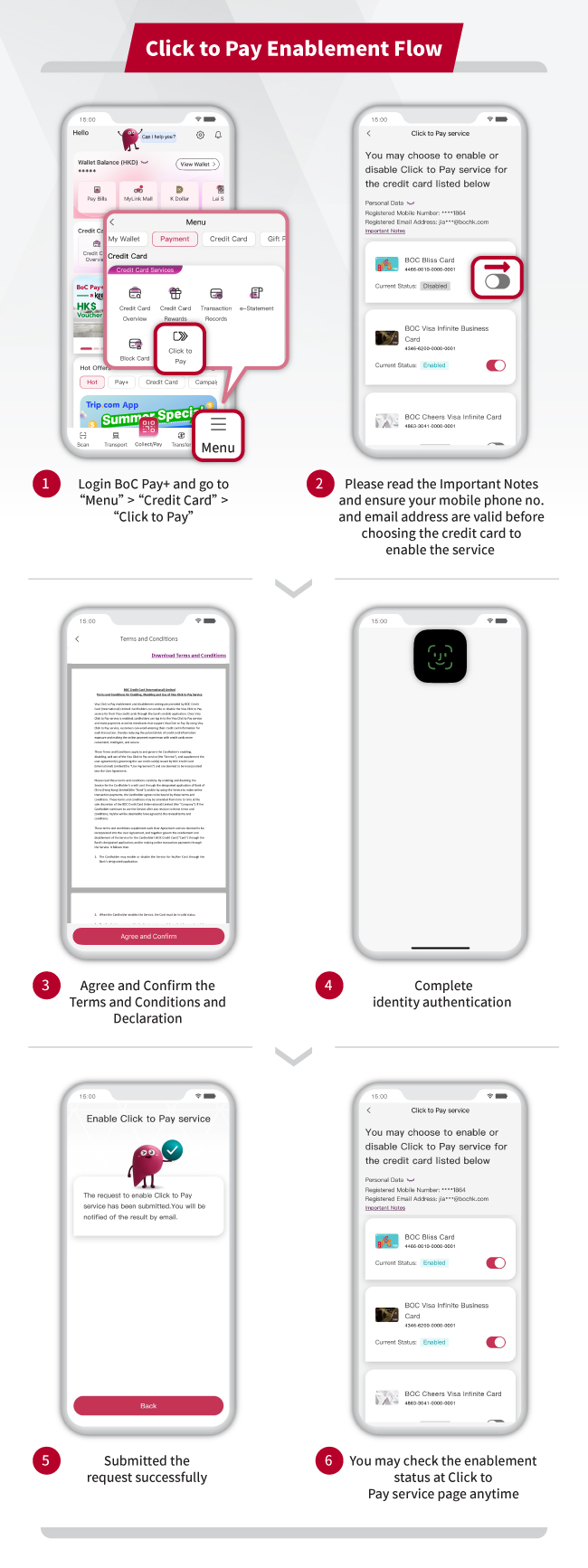
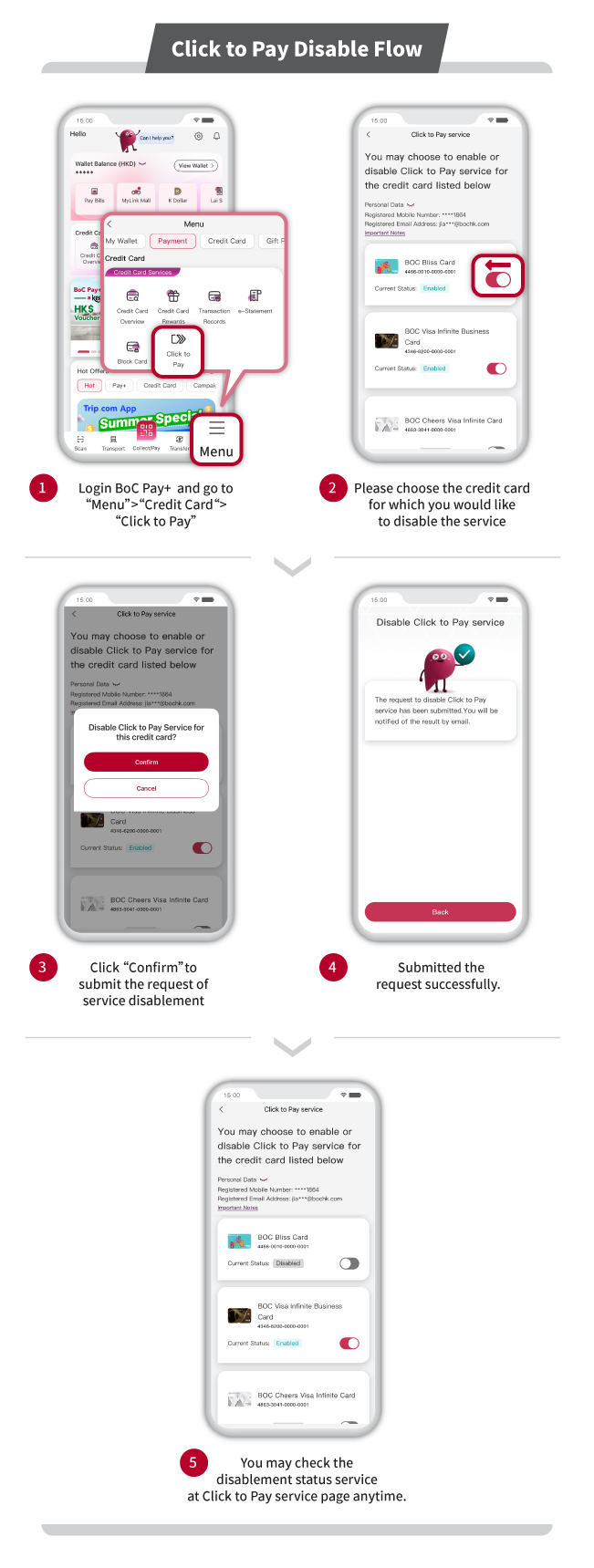
Simply follow these steps to enable the service:
1. Choose your credit card → 2. Agree to T&C → 3. Verify your identity
After registration, you can complete online payment without entering credit card information.
1. Log in to Click to Pay → 2. Choose your credit card → 3. Pay
How to use Apple Pay?
Remarks:
1. Applicable to BOC VISA main cards.
2. The Click to Pay icon is a trademark owned by and used with permission of EMVCo, LLC.
Reminder: To borrow or not to borrow? Borrow only if you can repay!
